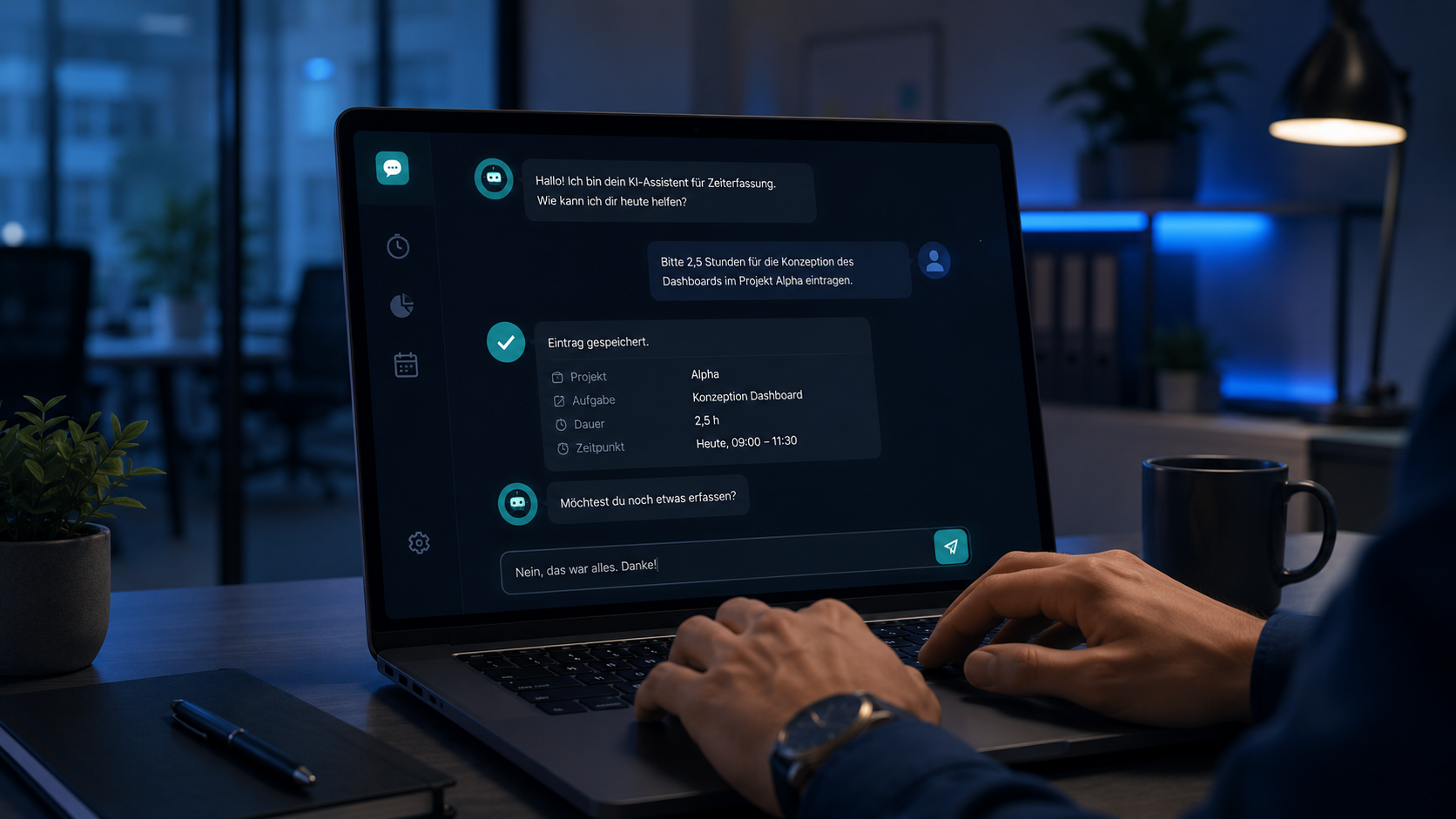
In 2026, time tracking is no longer a preference — it’s a legal obligation. Germany’s Federal Labor Court clarified this in 2022, building on the European Court of Justice’s 2019 ruling: employers must record their employees’ entire working time, not just overtime. The concrete amendment to the German Working Time Act has been postponed multiple times — but the underlying obligation remains, and with every quarter the risk of penalties grows for companies still relying on Excel or voluntary self-entry.
At the same time, the obligation is an opportunity. Because nearly every company knows the problem: time tracking is hated because it feels manual, imprecise, and useless. Employees type entries on Friday for what they might have done three days ago. Analysis is a rough estimate. Project cost calculation: a pipe dream.
An AI-powered time recording agent solves both problems at once.
1. What the reform requires
The legal basis in Germany rests on three sources:
- 2019 ECJ ruling (“CCOO case”): employers must set up an objective, reliable, and accessible system for recording daily working time.
- September 2022 BAG ruling: this obligation applies directly under German occupational health and safety law — no separate legislation needed for the duty to exist.
- Working Time Act amendment (in preparation): concretizes the requirements, currently including same-day recording, electronic form (with possible exceptions for very small companies), two-year retention, and employee inspection rights.
What the reform will require — once passed:
- Electronic recording as default. Excel lists won’t cut it for most companies.
- Completeness: start, end, breaks — per day, per employee.
- Same-day capture: weeks-late entries are no longer compliant.
- Tamper resistance: later changes must be visibly detectable.
- Inspection rights: employees and authorities must access the data easily.
The requirements sound technically banal — but are hard to implement in practice because they demand daily discipline. Forcing a manager or knowledge worker to type entries daily builds frustration and false entries into the system.
2. Why classic time tracking fails
Most classic time tracking tools consist of three building blocks: an input form, a database, and a few reports. They automate nothing — they digitize what used to happen on paper.
In reality, this leads to four recurring problems:
Gaps. Employees forget to enter. Or they enter on Friday what sounds plausible. Compliance with the letter of the reform: not given.
Vagueness. “Project meeting” appears in the entry. Which project, which customer, which activity — unclear. Analysis: difficult.
Frustration. Spending 30 minutes a week on time tracking feels like waste. At 100 employees, that’s 50 hours per week creating no value.
No learning curve. The tool doesn’t get smarter. You type the same three projects every Monday that were active last Monday too — nobody remembers it.
Classic time tracking doesn’t fail because it doesn’t work. It fails because it structurally asks the wrong question. It asks: “What did you do today?” The right question would be: “We can see what you did today — does that look right?“
3. How an AI agent records time instead of just typing
An AI agent inverts the model. Instead of demanding entries from the human, it collects from the existing digital traces of working life — calendar, tickets, mail, code commits, call records, Teams activity — and proposes a finished time entry.
The core mechanism:
- Connect data sources. Outlook/Google Calendar, Teams/Slack, Jira/Asana/Linear, GitHub/GitLab, phone systems, optionally screen activity (with consent). Tool calling and MCP make the integration standardized.
- Detect activities. The agent groups related events into meaningful units — “meeting with customer X,” “coding session in repository Y,” “email work on project Z.”
- Classify. An LLM assigns each unit a project, cost center, activity type, and possibly task type — based on learning history and corporate context.
- Generate proposal. At the end of the day (or live throughout it), the employee sees a pre-filled daily summary.
- Confirm or correct. One click for “looks right.” Corrections are possible and feed back into the model.
- Post. The agent writes the data into the downstream system (DATEV, SAP, Personio, custom solution).
The difference in experience: instead of 5–10 minutes of daily typing, it’s 30 seconds of confirmation. Instead of rough estimates, the data is precise and analyzable.
4. Compliance plus value: the double opportunity
Most companies hear “mandatory time tracking” and think cost, frustration, effort. In fact, it’s the rare case where regulatory pressure and business value point in the same direction — when implemented correctly.
Compliance side:
- Complete, same-day recording — automatic.
- Tamper resistance through audit logs and immutable source records.
- Employee inspection function via self-service.
- Retention and deletion on schedule.
Business side:
- Better project cost calculation. Real data instead of estimates — per customer, per project, per activity.
- Early warning system. When a project quietly slides over budget, you see it immediately — not three weeks later.
- Resource steering. Bottlenecks and overload become visible before they escalate.
- Billing. For consulting and agency models, data flows directly into invoicing.
- Employee value. Daily self-transparency: “What did I actually do this week?” — a motivating element, not a surveillance tool.
Across active projects, we regularly see this: the benefit of better data overtakes the investment effort after 6–9 months. Compliance becomes a side effect — not a cost.
5. Architecture of a time tracking agent
The production architecture we build in 2026 has five layers:
Layer 1 — Connectors. Adapters to all relevant data sources. Standardized via MCP servers (see Tool Calling, Function Calling and MCP) so new systems plug in quickly. Read-only — the agent doesn’t modify source data.
Layer 2 — Activity detection. A deterministic pipeline that aggregates raw events into activity clusters. Example: 2:00 PM Teams meeting + 2:05 PM email to customer X + 2:30 PM Jira ticket update → one activity “Customer conversation X + follow-up tasks.”
Layer 3 — LLM classification. A local or EU-hosted LLM (Llama 3.3 70B, Mistral Large, or a domain-fine-tuned model — see LLM Fine-Tuning) maps each activity to structured categories. Output is always JSON-schema-validated before downstream use.
Layer 4 — Confirmation UI. A lean web/mobile interface. Daily summary, one-click confirm, simple corrections. Learning history visible.
Layer 5 — Sync and audit. Confirmed entries sync to downstream systems. Audit logs capture every change — source, timestamp, employee, proposal, final entry.
This architecture can run on-premise, in an EU cloud, or hybrid. For most mid-sized companies we recommend on-premise or managed EU cloud — the data passing through here is sensitive.
6. GDPR, works council, and co-determination
A time tracking agent is a personal-data processing system with significant employee impact. Three areas must be addressed cleanly:
GDPR. A Data Protection Impact Assessment (DPIA) is mandatory. Processing purpose, legal basis (typically statutory obligation under the Working Time Act plus contract fulfillment), retention period, deletion plan, data-subject rights — all documented. Data minimization: email content isn’t stored, only the fact of processing. For the broader privacy-and-safety picture, our piece on guardrails, evals and prompt injection covers the technical guarantees an AI integration needs.
Co-determination. German Works Constitution Act § 87: introducing technical systems that monitor employee behavior or performance is subject to co-determination. A works agreement is not optional — it’s a precondition. We recommend involving the works council from the start — not after you’ve picked the solution.
Communication. Employees experience this system daily. If the perception is “surveillance,” the project fails — no matter how good the technology. If the perception is “relief,” the tool is accepted. Transparency about data sources, retention, and analysis paths is non-negotiable.
Battle-tested principles:
- Don’t store content data (email text, chat history) — only metadata.
- Employees see every entry and can edit it.
- No automatic performance evaluation from the data.
- Clear access rules: HR/payroll sees different data than project managers.
- Quarterly data protection audit, documented.
7. Rollout in 4 to 8 weeks
A realistic schedule:
- Weeks 1–2: Workshop. Use case clarification, data source inventory, architecture decisions, works council engagement. Output: concept paper and DPIA draft.
- Weeks 2–4: Implementation. Build connectors, calibrate LLM classification, deploy UI. Prepare pilot group (15–30 employees).
- Weeks 4–6: Pilot. Real operation with the pilot group. Daily corrections feed back into the model. Proposal accuracy typically rises from 60% in week 1 to 85–90% by week 3.
- Weeks 6–8: Rollout. Stepwise across the workforce. Training, support hotline for the first two weeks.
What must not happen:
- Big-bang rollout without pilot. Switching 200 employees at once with 60% accuracy means 200 unhappy people.
- Sealing the data pool before clarifying co-determination. Agreement first, then data.
- Retroactive linking to performance evaluation. You lose trust, and the system is dead.
For more on the operational mechanics behind such AI agents, see our pieces on tool calling, function calling and MCP and on LLM operations.
Companies that will have to meet the obligation anyway in 2026 shouldn’t waste the chance. A manual Excel solution meets only the legal minimum. An AI agent meets it — and pays off operationally at the same time. If you want to know what that looks like in your specific setup: let’s talk.
Frequently asked questions.
/ 01Is electronic time tracking actually mandatory now?
Germany's Federal Labor Court ruled in 2022 that employers must record the entire working time of their employees — building on the 2019 ECJ judgment. The concrete legislative implementation (Working Time Act amendment) has been delayed multiple times, but the underlying obligation already exists. Anyone still waiting in 2026 is taking an increasingly real risk of penalties.
/ 02What sets an AI agent apart from a normal time tracking app?
A classic app is an input form. You type, the system stores. An AI agent is an autonomous system with tools: it reads calendars, tickets, mail, code commits — sees what you actually worked on — proposes a finished time entry, and learns from your corrections. You confirm — you don't type.
/ 03Does that mean the algorithm monitors my employees?
No, if built cleanly. A good agent captures only the data needed to meet the legal duty, nothing more. Content isn't stored, only metadata (timestamps, project allocation). Employees confirm the final entry themselves. A clean implementation is compatible with co-determination, GDPR, and personnel accountability.
/ 04What data leaves my company in the process?
In an on-premise or EU cloud variant: none. Model, classification, and audit logs run within your trust boundary. If you use a public cloud LLM, activity metadata and entry proposals flow through the vendor's LLM. For most companies, we recommend on-premise or EU cloud — see Sovereign AI Stack 2026.
/ 05Can the agent integrate with our existing HR/ERP system?
Yes — and that's the typical setup. The end systems (DATEV, SAP, Personio, BambooHR, custom solutions) stay in place. The AI agent sits in front and delivers validated entries. Interfaces are standardized enough to integrate in most setups within 1–2 weeks.
/ 06What does such a system cost?
Pilot with 20–50 users for one quarter: typically €25k–€60k. Productive rollout at SMB scale (50–500 employees) including integration: €60k–€200k one-time plus ongoing operating costs. Return comes from reduced data-entry time (typically 5–10 minutes per employee per day) and better project cost control.